
Millions of apps are sitting in app stores right now, waiting to be found. The gap between an app that thrives and one that fades away is rarely about the code. But it is almost always about how well the developer understood the rules of discoverability.
App Store Optimization (ASO) techniques are not a bonus step you add after launch. They are the foundation on which your app’s visibility is set up.
The good news is that these techniques are learnable. They aren’t magic, and they don’t require a massive budget. What they do require is intention, consistency, and a proper understanding of how app store algorithms work. Developers who take this seriously see good results.
This is not a space where guesswork serves you well. Data, testing, and patience matter a lot here. The developers who succeed treat their app store presence the same way they treat their codebase, i.e., with care and regular attention.
In this blog, we will discuss the necessary ASO techniques that every app developer must know to achieve success, build lasting visibility, and earn more organic downloads.
Table of Contents
Understanding these methods is one thing but applying them with discipline is what separates struggling apps from successful ones. Here is where the actual work begins.
These are the building blocks that your app’s success rests on. Because without these in place, even the most creative tactics will struggle to land.
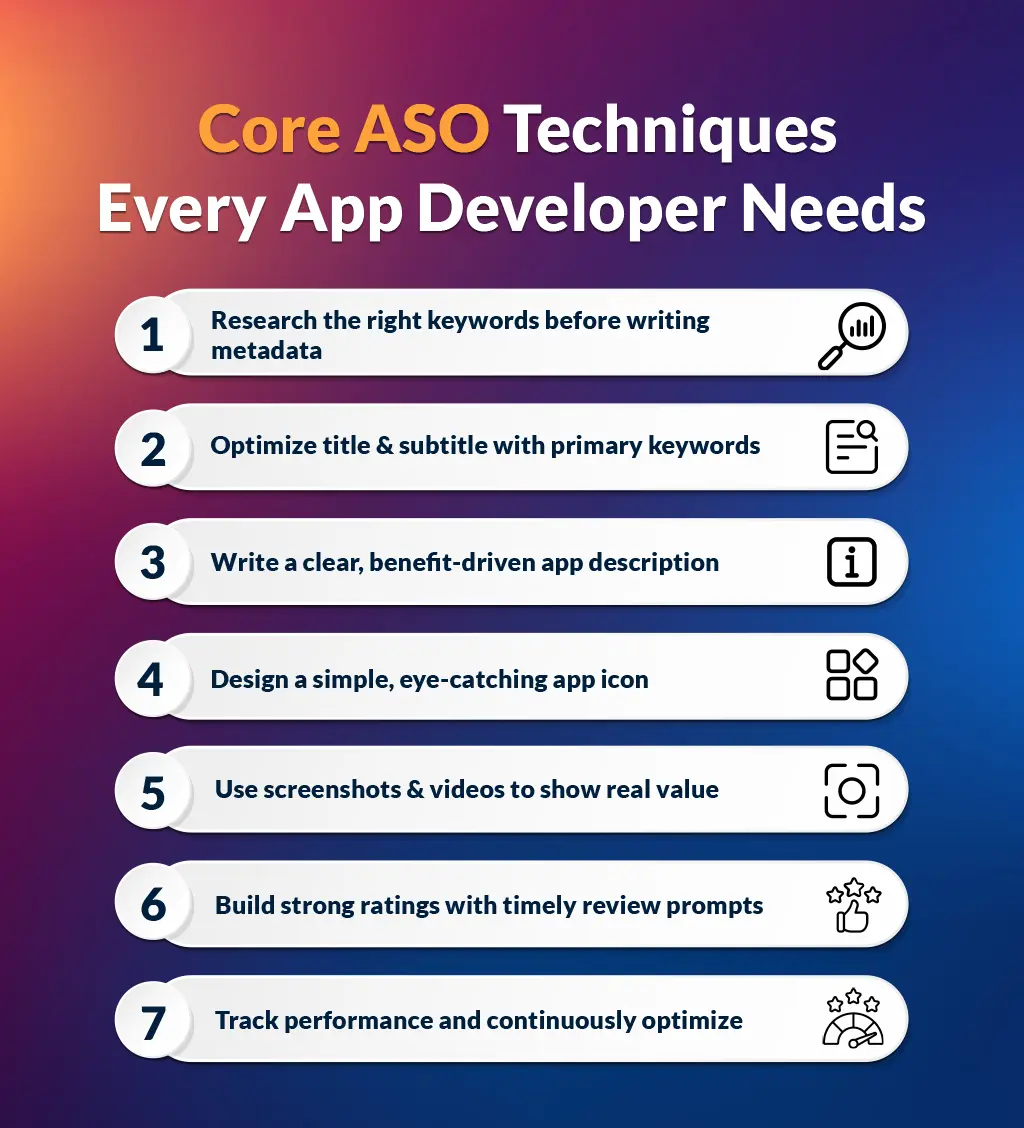
Keyword research is the basis of every strong ASO strategy. Before you touch your title, subtitle, or description, you need to know exactly what words and phrases your potential users are typing into the search bar. This is not a one-time task but an ongoing process that should run throughout the life of your app.
Start with broad terms related to your app’s core function, then dig into long tail phrases that signal specific intent. Tools like AppFollow, Sensor Tower, and even the search suggestion feature inside the app store itself will give you solid starting points.
Pay close attention to what keywords your closest competitors are ranking for. Their success can tell you a great deal about what your audience wants. The goal is to find keywords that have search volume but are not so competitive that your new listing has no chance of appearing. For instance, a fitness app targeting “workout tracker for beginners” will often outperform one vaguely targeting “fitness.” Precision wins here.
Your app title is the single most heavily weighted field in any app store algorithm. Every word you place there carries more ranking power than words placed anywhere else in your metadata. This means your primary keyword belongs in the title and not buried somewhere in your description. That said, the title still needs to make sense to someone reading it. It should describe what the app does in plain language, because clarity always wins out over cleverness when someone is scanning a page of results. Your subtitle, in Apple’s App Store, is your second most valuable metadata field. Use it wisely. Treat the title and subtitle as a team, where each one carries part of the story.
Avoid keyword stuffing. Packing your title with disconnected terms looks unprofessional and signals lower quality to the algorithm. A descriptive title that includes your most important keyword phrase is far more effective than a cluttered string of words that reads like a list.
Most developers treat the app description like a technical manual. The description—mainly the first three lines visible before the “read more” fold—is your best chance to convince a real person to tap the download button. Lead with the most compelling benefit your app offers. What problem does it solve? What does someone’s day look like after using it? Be specific and honest.
The description is also a place to naturally include secondary keyword phrases that reinforce your app’s relevance. While the description does not carry the same algorithmic weight on Google Play as it does on the App Store, it still contributes to indexing. The words you choose here shape first impressions.
Avoid technical jargon. Write like you are talking to the person who would get the most value from your app and explain why their life is better with it installed.
In a list of search results, your icon is often the very first thing a potential user sees; before they read your title, before they look at your screenshots.
A poorly designed icon communicates carelessness, and that impression sticks. A great icon is simple, recognizable at small sizes, and visually distinct from the competition in your category. Colour, contrast, and shape all matter because the icon directly impacts click-through rates. App store ranking strategies that ignore visual conversion factors leave downloads on the table.
For instance, changing an icon alone might shift conversion rates by double digits. Test different versions of your icon using the A/B testing tools available in Google Play Console and Apple’s Product Page Optimization. Let the data tell you which version users respond to, rather than going with your personal favourite.
Screenshots are a conversion tool. Most users will look at your first two or three screenshots before making a decision. Those screenshots need to do two things at once: first, show what the app looks like in use; second, communicate why that experience is worth having.
Add short, benefit-focused captions to each screenshot, and use real in-app visuals rather than generic promotional graphics. If your app is visually rich, a preview video can push your conversion rate higher. Keep videos under 30 seconds and lead with your strongest feature in the first five seconds.
Consider localizing your screenshots if you are targeting users in multiple countries. What connects visually in Canada may land differently in Japan or Brazil. Matching your visual assets to your audience’s expectations is a detail that top-ranked apps consistently get right.
Ratings and reviews are ideal signals used by an app store algorithm to evaluate quality and trustworthiness. An app with hundreds of genuine four- and five-star reviews will consistently outperform a comparable app with few or mixed reviews, even if the latter has slightly better keyword placement.
The most reliable way to build strong ratings is to ask at the right moment. Prompt users for a review after an obvious moment of success like after they complete a task, reach a milestone, or return to the app for the third time. Timing matters here.
Respond to negative reviews professionally and promptly. This signals to both the algorithm and future users that you are actively maintaining the product. For instance, a developer who replies to a one-star review with a genuine solution often sees that user return and update their rating. Reviews are not just a vanity metric; they are a trust signal that influences every download decision.
The biggest mistake developers make with ASO is treating it as something you set up once and then forget. App store algorithms update and user behaviour shifts. New competitors enter your category. Keywords that drove strong rankings six months ago might be losing relevance today.
Build a habit of reviewing your performance data at least once a month. Track your keyword rankings, conversion rates from store page visits to downloads, and the sources of your organic downloads. When something drops, investigate it before you act.
Run structured A/B tests on individual elements like your icon, your title, and your first screenshot rather than changing multiple things at once. Changing everything simultaneously makes it impossible to know what actually worked. These are some of the best ASO practices that consistently, over time, create compounding results.
Remember: ASO for app developers is not a one-time project. The developers who treat ASO like a living process—not a checklist—are the ones whose apps keep growing.
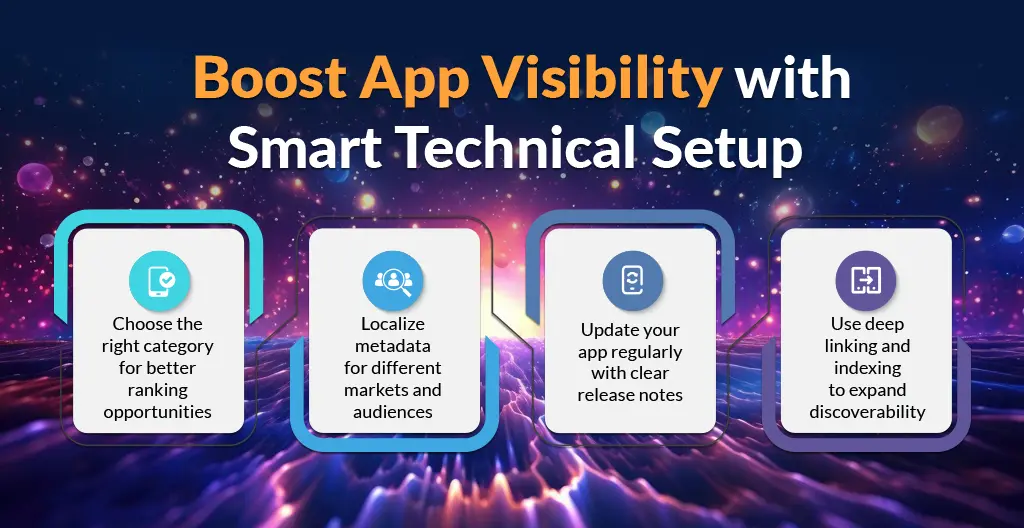
The decisions you make in setup and structure shape how discoverable your app becomes. Here is what to get right before you move on.
Placing your app in the correct category affects where it appears in browser sections, what apps it is compared against in the algorithm, and which editorial features it might qualify for. Many developers choose the broadest category hoping for more exposure, but that often backfires. A niche app placed in a highly competitive general category will rank at the bottom. But if placed in a more specific subcategory where competition is lighter, it may reach the top of the charts.
You can also do thorough research into how to improve app visibility through careful category selection, as this one choice shapes every ranking opportunity that follows.
If you have not localized your app’s metadata, you are leaving an important portion of your potential audience unserved.
Localization means more than just translating your description. It means adapting keywords, screenshots and even your icon to fit the cultural expectations and search behaviour of each specific market. Japanese users search differently than Brazilian users. Canadian English users search differently than British English users. Each localized version of your metadata should be researched independently, with keywords drawn from native-language data in that market.
This approach, done well, can dramatically expand your organic reach without spending an additional dollar on paid acquisition.
App stores favour apps that are actively maintained. Regular updates signal to the algorithm that the developer is engaged and that the product is current.
Beyond the algorithmic benefit, updates are also a natural opportunity to request a fresh round of reviews, respond to bug-related complaints, and add features that users have been requesting in the review section.
Each update should include clear, benefit-focused release notes. Do not write “bug fixes and performance improvements.” Tell users specifically what got better. Concrete release notes (detailed descriptions of software updates) also give you a small additional opportunity to include relevant keywords in a natural context.
App indexing lets content inside your app appear in web search results, extending your reach well beyond the app store itself. When a user searches for something on Google that your app handles well, a properly indexed app can appear in those results with a direct install prompt. This is a technical investment that many developers skip, but the payoff in additional organic traffic is real.
Set up Universal Links on iOS and App Links on Android, and make sure your in-app content is curated in a way that search engines can read and index. This sits at the intersection of ASO and web SEO, and the developers who connect both see compounding visibility gains.
Trends come and go, but these are the foolproof approaches that keep working month after month, regardless of algorithm updates or shifting competition.
Downloads get you in the door, but retention is what keeps you ranked.
Both Apple and Google monitor how users behave after installing your app. If they install and then delete your app within 24 hours, that is a negative signal. High uninstall rates, low session counts, and poor engagement all hurt your ranking over time. This means that app store ranking strategies must be connected to product quality.
A beautiful store listing driving downloads into a poor user experience will eventually collapse. For ASO to deliver lasting results for app developers, onboarding quality, load times, and the first-session experience must be treated as priorities above almost everything else.
App stores do not exist in a vacuum. Traffic that flows into your app store page from external sources such as social media, content marketing, press coverage, and email campaigns carries positive ranking signals. When the algorithm sees consistent external interest in your app, it treats that as evidence of relevance and popularity.
Build a simple content strategy that drives interested users to your store page. A blog, a strong social media presence, or even a well-placed article in a relevant publication can meaningfully contribute to your ranking. The main objective is consistency, which is gained over time rather than in one big spike.
Users who feel heard become supporters. They leave reviews, share your app, and return regularly, which feeds positive signals back into the algorithm. Build a feedback loop between your community and your product team, admit feature requests publicly, and resolve pain points that show up continuously in reviews. When users see their feedback reflected in updates, they develop loyalty that translates into the kind of lasting engagement that supports rankings.
Social proof in the form of visible community participation also improves conversion rates when new users land on your store page.
Learning about what your top competitors are doing is not optional, but it is part of responsible product management.
Track changes in their metadata, watch when they update their screenshots, and note when their ratings spike or drop. Competitor intelligence helps you identify gaps in the market, keyword opportunities you have missed, and positioning angles that may be underserved. Use this information to inform your own strategy, not to copy it. The goal is to understand the competitive environment clearly enough to carve out a position where your app can genuinely stand out.
Building visibility in a crowded app store is steady and methodical work. It honours developers who pay attention, test carefully, and treat their store presence as part of the product itself. When you commit to applying strong App Store Optimization techniques consistently, like keyword research to conversion testing to community engagement, the results build on each other over time. There is no shortcut, but there is a clear path. Follow it with patience, and your app will find the audience it deserves.
Most developers start to see quantifiable changes in keyword rankings within two to four weeks of optimizing their metadata. Noticeable improvements in organic downloads take three to six months of consistent, ongoing effort and iteration.
Yes. Download velocity is one of the signals app store algorithms use to check relevance. A steady flow of consistent downloads is generally more beneficial to long-term rankings than a single spike followed by inactivity.
No. Repeating the same keyword across multiple fields wastes valuable metadata space. Each field should contain distinct keywords to maximize the total number of search terms your app is indexed for by the algorithm.
Both matter but they serve different functions. Keywords determine whether users find your app. Ratings and reviews, on the other hand, influence whether they download it. Strong keyword placement with poor ratings will produce impressions but not installs. Both need attention.
Yes. Updating your metadata is a normal and recommended part of ongoing ASO. You can revise your title, description, keywords and screenshots at any time. Always track performance before and after changes so you can measure their impact clearly.
Yes. Google Play indexes the full description for keyword purposes, while the App Store uses a separate keyword field. Visual assets, review prompts and update cadence also work differently across the two platforms. Each store needs its own tailored strategy.