
The mobile app market is fiercely competitive, and app developers and marketers are constantly seeking ways to boost app performance. While app downloads have long been considered the ultimate metric for success, focusing solely on this number can provide a narrow view of an app’s performance.
To truly optimize your app’s visibility and user acquisition, it is essential to dive deeper into ASO (App Store Optimization) analytics metrics that go beyond downloads.
ASO analytics offers a wealth of insights into how users discover, engage with, and interact with your app. Tracking the right ASO metrics not only helps you improve your app’s visibility but also increases user retention, satisfaction, and ultimately, app store ranking. By understanding and leveraging key metrics, you can refine your ASO strategy and make informed decisions that drive sustainable growth.
Keep reading to discover critical ASO analytics metrics that go beyond app downloads and help you optimize your app’s success in the app store.
Table of Content
Tracking ASO analytics metrics beyond simple app downloads provides a more comprehensive view of your app’s performance and how well it engages users. While app downloads may seem like the most obvious metric, they don’t tell you how users interact with your app, whether they return after installation, or if they stay engaged over time. To truly measure your app’s success, it is crucial to dig deeper into these analytics metrics.
Tracking ASO analytics metrics such as user engagement and retention rates reveals much more than just download numbers. For example, knowing how long users spend in your app (session duration) or how often they open it can show how engaging your app truly is. If users are downloading your app but not using it regularly, your app’s initial appeal might not be enough to keep them engaged.
Beyond that, retention metrics help measure if users find value in the app and keep coming back for more. High retention rates indicate that users are finding long-term value in your app, which is crucial for its success in the app store. For instance, if your app’s session duration is short, it may suggest that users aren’t finding the content engaging enough, which means you need to revisit the user experience or the features your app provides.
Once you have access to comprehensive ASO metrics, such as conversion rates or click-through rates (CTR), you can start adjusting your app listing to drive more targeted traffic. Understanding the effectiveness of your app’s title, description, keywords, and visuals can lead to important insights. For instance, if your app ranks high in search results but has a low CTR, it may indicate that your app’s description or icon isn’t compelling enough to attract users to click and download it.
ASO analytics provide real-time data, allowing you to quickly adapt your app store optimization efforts. Tracking these metrics enables you to test and refine key elements of your app listing. This includes updating your description, changing the title, or refreshing your visuals to ensure your app is as engaging as possible for users searching in the app store. By continuously improving your app listing based on these insights, you can increase its visibility and conversion potential.
Engagement metrics, such as session duration and frequency of use, are crucial in measuring how users interact with your app over time. For instance, if users install your app but use it only once or twice, you may have an issue with its usability or overall value proposition. ASO metrics allow you to identify these issues and understand exactly where you are losing users.
A high session duration indicates that users are deeply engaged with your app, which is essential for increasing its ranking in the app store. Conversely, short sessions might suggest that users aren’t finding enough value or that your app’s onboarding process isn’t compelling enough to keep them around for longer. By tracking user engagement, you can fine-tune the app’s features to encourage users to spend more time inside the app, ultimately improving its overall performance.
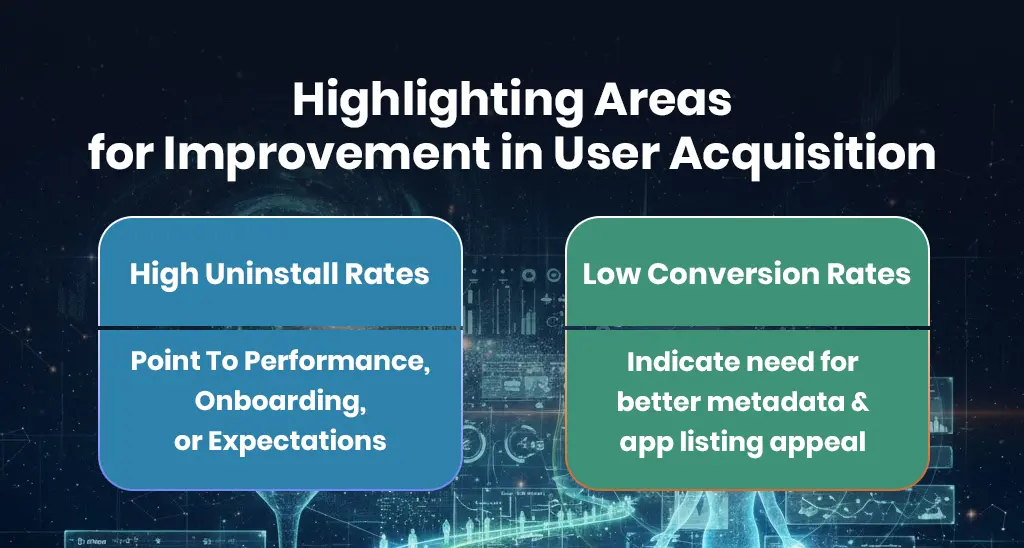
Tracking uninstall rates and conversion rates helps identify pain points in your app’s acquisition funnel. For example, if it is getting a lot of downloads but the uninstall rate is high, it could be a sign that users are disappointed with their experience or that your app isn’t meeting their expectations. High uninstall rates could also indicate issues with performance, like crashes or slow load times, that are driving users away.
Tracking conversion rates is also key to understanding how many users are completing the installation process after viewing your app listing. If the conversion rate is low, it may be an indication that the app’s metadata (e.g., its title, description, screenshots) isn’t compelling enough to encourage potential users to take action. By improving these elements based on ASO analytics, you can enhance your app’s appeal, increase user satisfaction, and boost retention.
The importance of ASO analytics metrics lies in their ability to contribute to your app’s long-term growth. Focusing only on downloads doesn’t provide the complete picture; it’s about ensuring that your app stays visible in the app store, engages users continuously, and fosters repeat use. By tracking a variety of ASO metrics, you can ensure that your app’s performance continues to improve as you adjust to user preferences and app store algorithm changes.
For example, user reviews, feedback, and ratings all contribute to your app’s long-term success and visibility. Apps with high ratings and positive reviews are more likely to be recommended by app stores, improving their visibility. Tracking user reviews in addition to standard ASO metrics helps you stay ahead of the competition and ensures your app remains relevant in the long run. Regular updates based on ASO analytics can help your app evolve with market demands and continue to grow in both visibility and user base.
Tracking ASO metrics is essential for improving your app’s visibility and ranking in the app store. Beyond just downloads, there are several critical metrics that provide meaningful insights into your app’s discoverability and user experience. Here are some of the most important metrics to track for improving app visibility:
The app store conversion rate refers to the percentage of users who view your app’s listing and proceed to download it. This metric is crucial because it shows how well your app’s listing is optimized. A high conversion rate suggests that your app’s title, description, screenshots, and other elements are compelling enough to convince users to install it.
For example, if your app is appearing in relevant search results but isn’t converting viewers into installers, it could be a sign that your visuals or app description need a refresh. Optimizing these elements can significantly improve your app’s conversion rate, driving more downloads and better app store ranking.
Your app’s organic search ranking is one of the most important factors in its visibility within the app store. The higher your app ranks for relevant keywords, the more likely it is to be discovered by users. Tracking how your app performs for specific search terms helps you identify which keywords are driving traffic and if there’s room for improvement in your SEO strategy.
By focusing on keyword optimization, you can ensure your app is appearing in searches for relevant queries. Tools like Google Trends and App Store Connect provide insights into search trends, allowing you to adjust your app’s metadata for better rankings.
Click-through rate (CTR) measures how often users click on your app after viewing it in search results. CTR is closely tied to how appealing your app is in search results. A high CTR means users find your app listing compelling, while a low CTR indicates that your app is not grabbing attention.
Improving your app’s CTR might involve testing different elements such as app icons, screenshots, or descriptions. For instance, a more eye-catching icon or a clearer description could lead to higher CTR and increased visibility in search results, which ultimately drives more organic installs.
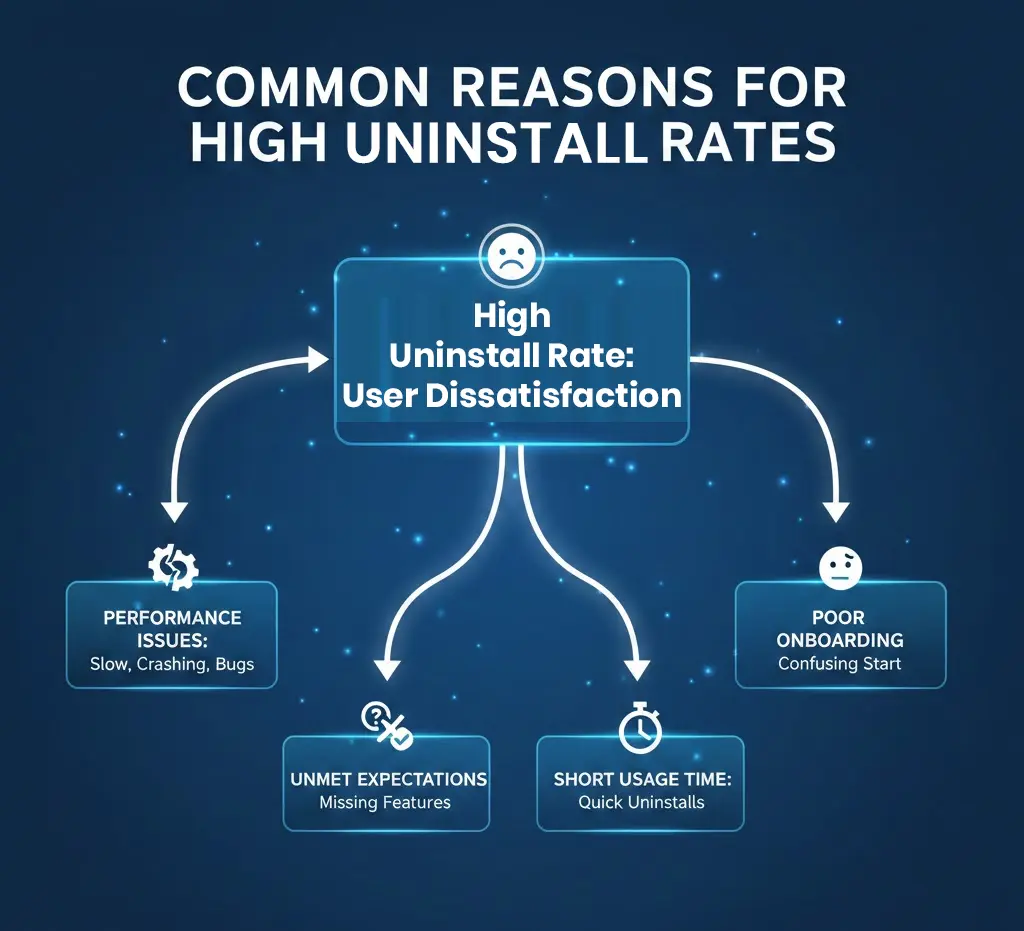
The uninstall rate measures how many users uninstall your app shortly after downloading it. A high uninstall rate is a red flag that something is off with your app’s user experience. This metric can provide valuable insight into user dissatisfaction, whether it’s related to performance issues, unmet expectations, or a poor onboarding experience.
For example, if users uninstall your app after using it for only a few minutes, it might indicate that the onboarding process is too complicated or that the app fails to deliver what users expected. By analyzing uninstall rates, you can identify and fix issues to improve user satisfaction and retention.
User retention rate is a key metric that shows how many users continue to use your app after the initial download. A high retention rate is a positive indicator that your app provides value and meets users’ needs over time. It’s a critical metric for understanding your app’s long-term success in the app store.
Focusing on user retention allows you to identify how well your app performs in terms of engagement and value. If it has a low retention rate, you may need to re-evaluate its features, usability, or overall user experience to improve the likelihood that users continue to engage with it long term.
Effective ASO KPIs tracking is essential to gaining valuable insights into your app’s performance and ensuring its success. However, it’s not enough to simply track these metrics. You also need to know how to analyze and act on the data. Here are some best practices to track and optimize your ASO KPIs effectively:
To get the most accurate data, it’s important to set up the right ASO analytics tools. Platforms like Google Analytics, App Store Connect, and Sensor Tower provide essential metrics for tracking your app’s performance, including conversion rate, CTR, rankings, and user engagement. These tools will help you track changes over time and identify which ASO strategies are working.
For example, Google Analytics can track user activity within your app, helping you understand session duration and user behaviour, while App Store Connect provides metrics like app downloads and engagement within the app store. Setting up and regularly reviewing these tools ensures that you have reliable data to guide your decision-making.
ASO KPIs provide valuable insights that inform your app’s development strategy. By tracking metrics like retention rates, you can identify areas for improvement, such as enhancing app features or optimizing the onboarding experience. This data-driven approach ensures that your app evolves based on real user feedback and app store performance, helping it stay relevant and improve over time.
Once you’ve gathered ASO metrics, the next step is to turn those insights into actionable strategies. For example, if your CTR is low, you can start by testing different visuals, descriptions, and keywords. Similarly, if your conversion rate is dropping, you might focus on refining your app’s description to make it more compelling or adjusting your call to action.
One common mistake is focusing too much on a single metric, like app downloads, without considering the broader picture. It’s important to consider a combination of metrics to get a true sense of your app’s performance. For example, focusing only on download numbers may ignore the importance of user retention or app store conversion rate, which are vital for long-term success.
Finally, ASO is not a one-time effort but an ongoing process. Regularly reviewing your ASO KPIs ensures that your app remains competitive in a constantly changing app market. It allows you to stay on top of keyword trends, app store algorithm updates, and user behaviour changes that affect your app’s visibility and performance.
Focusing on ASO analytics metrics beyond just app downloads is key to truly understanding how your app is performing. By paying attention to metrics like conversion rates, retention, and user engagement, you’ll be able to fine-tune your app’s presence and make it more appealing to users. Regularly checking and adjusting your ASO KPIs keeps you on track for long-term success and helps you stay ahead of the competition. With the right insights, you can create a better experience for users and see meaningful growth in your app’s performance.
App downloads only tell you how many people installed your app, but they don’t give you insights into user engagement, retention, or satisfaction. Tracking metrics like user retention rate, conversion rates, and session duration provides a more comprehensive view of how your app is performing and helps you make data-driven decisions to improve its success.
Some of the most important ASO analytics metrics to track include app store conversion rate, click-through rate (CTR), user retention rate, organic search rankings, and uninstall rate. These metrics help you understand how well your app is performing in the app store and how engaged users are with your app after installation.
To improve your app’s app store conversion rate, focus on optimizing your app listing. This includes refining your app’s title, description, keywords, and visuals like screenshots and app icons. A/B testing different versions of your app listing can also help determine which elements resonate best with users and increase the likelihood of them installing your app.
To effectively track ASO KPIs, use tools like App Store Connect, Google Analytics, or Sensor Tower to monitor app store conversion rates, user engagement, and organic rankings. Regularly review these metrics, make necessary adjustments to your app’s listing and functionality, and use insights from A/B testing and user feedback to guide your ASO strategy.
App retention rate measures how many users continue to use your app over time. A high retention rate indicates that users find your app valuable and are likely to become long-term, engaged users. Low retention rates suggest that users are not finding enough value, which can hurt its ranking and visibility. Tracking retention allows you to identify areas for improvement and adjust your app to meet user expectations.