
You felt the need of a website. Being tech-savvy person, you decided to undertake the task yourself and ended with a decent looking and easy to handle WordPress website or blog. Now the fact that occupies most of your thoughts is how to know whether your creation is working perfectly or not. Whether it’s gaining the right people required to fulfill your purpose.
This is when Google Analytics comes to pay its role. It gives you all necessary data required to develop an effective strategy towards the betterment. But for that, you need to add GA. The write-up contains a guideline on how to add GA to a WordPress Blog or a website.
Before you learn about the procedures, you have to set up a GA account. Just go to Google Analytics Page and log in using your existing Google account. You can also sign up for free. If you are a new user, click on the sign-up option.
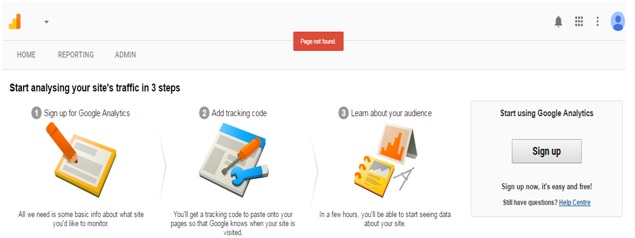
After this, you will be redirected to a page where you need to provide some website and personal details to get the tracking code.
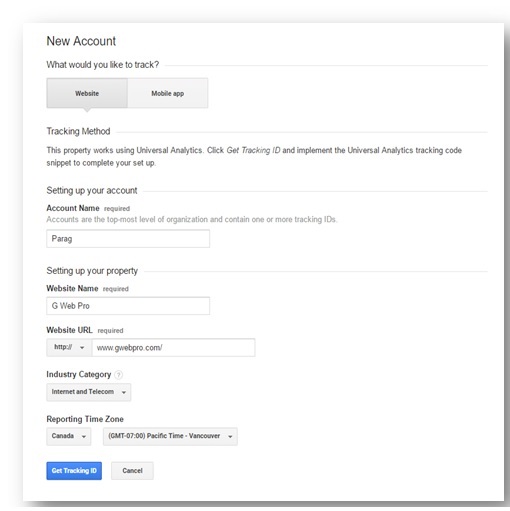
Clicking on ‘get tracking id” you will get a code that’s been generated only for your website.
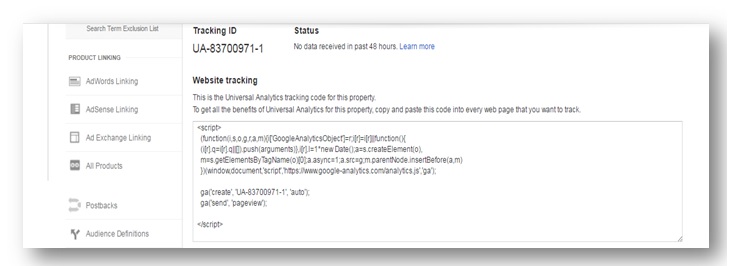
This is how you can set up your account and generate the tracking code, particularly meant for your website. Now, you have to integrate the tracking id into your website or WordPress blog. Let’s have a look at the procedures to do it.
From WordPress Appearance
You can integrate the code that you have generated from WordPress appearance. Just go to appearance and look for the option editor. Clicking on the editor, you will get a lot of templates on the right-hand sidebar. Select theme header option from those templates and paste the code there.
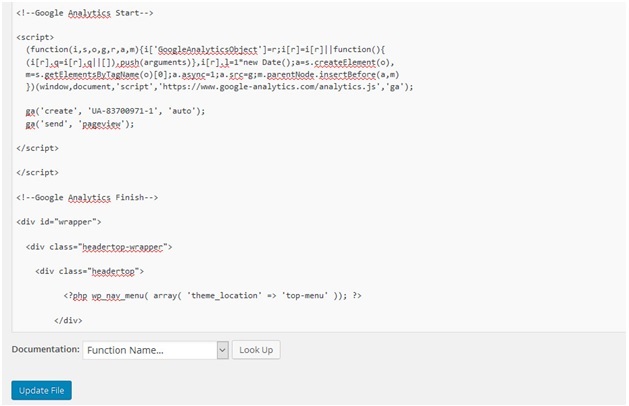
From Google Analytics Plugin for WordPress
One of the easiest ways to integrate the code is offered by Google Analytics Plugin for WordPress. Install this plugin and go to settings and select the Google analytics to configure the plugin option. Then, click on “authenticate with Google”, insert the code and click “save settings”. You are successfully done with adding the id to your website.
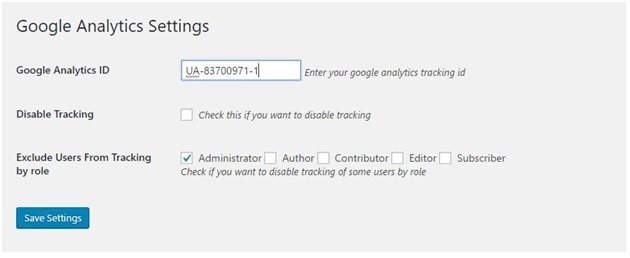
There are several other ways to integrate the tracking code but the above-mentioned ways are probably the easiest and fastest ones. You can choose any one of them and let Google receive your traffic data. Finally, you have to open your GA account and verify your site. It will hardly take an hour and you will be able to see all data related to site visits and clicks.